If you’re a foreign-qualified medical or dental graduate and want to practice in Pakistan, you’ll usually need to clear the NLE-1 (also called NRE Step-I), which is followed by NLE/ NRE Step-II (clinical skills). NLE abbreviation is the national licensing examination.
This guide explains documents, portal steps, exam city selection, cost of registration, and how to download your roll number slip/admit card using the official PMDC online systems.
Who Can Apply (Eligibility)
In general, PMDC’s NRE system is designed for foreign-qualified graduates (MBBS/MD or BDS) who need national registration in Pakistan. Many guides and PMDC-linked information emphasize that the National Registration Examination is used to assess competency for licensure pathways.
Important: Eligibility rules and cycles can change. Always confirm the latest public notice/schedule for your session.
Required Documents (Prepare Before You Start)
Before opening the portal, keep these 4 things ready ):
- CNIC / Passport (the same ID you will use for signup/login)
- Recent passport-size photograph (Blue background)
- Medical/Dental Degree (MBBS/MD or BDS)
- Provisional / Temporary registration evidence PRMP many candidates apply after obtaining a provisional/temporary status on PMDC systems (often discussed as PRMP/temporary license workflows).
- Have Rs. 20000 to 25000 in your account or in cash.
Tip: Save files in common formats (JPG under 1 mb) to avoid upload errors.
Step-by-Step: PMDC Portal Signup + NRE-1 Application
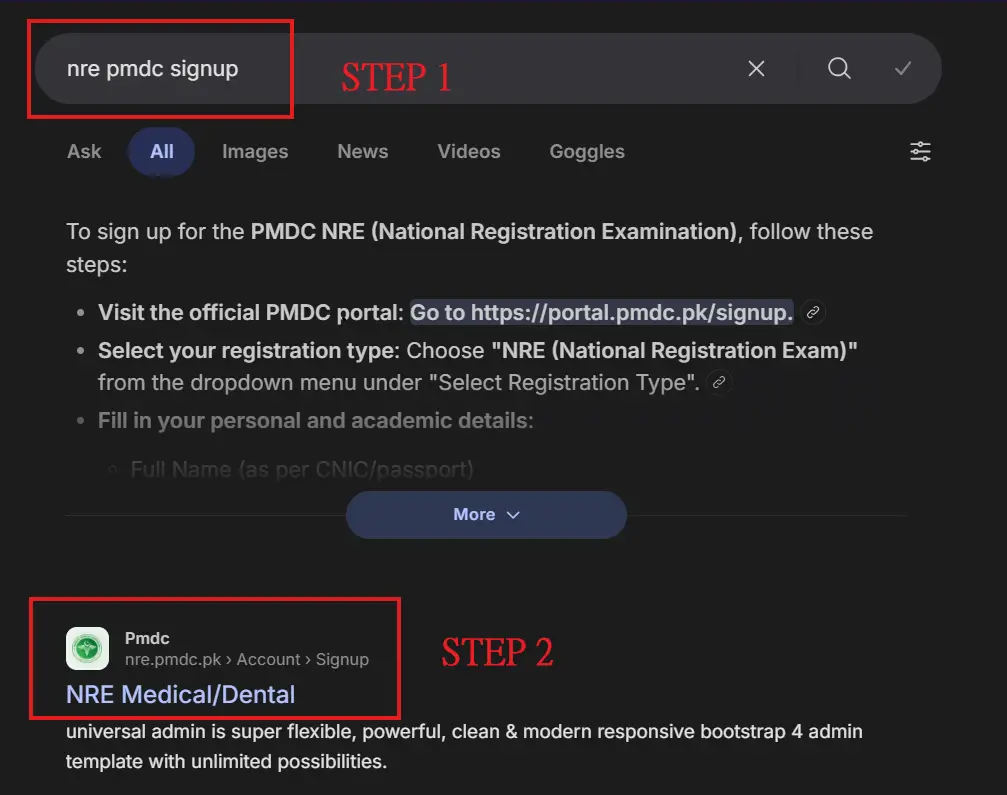
Step A: Create Your PMDC Portal Account
- Go to the PMDC portal login page.
- Click Sign Up and register using CNIC/Passport + email + password.
- Verify your email (check inbox/spam).
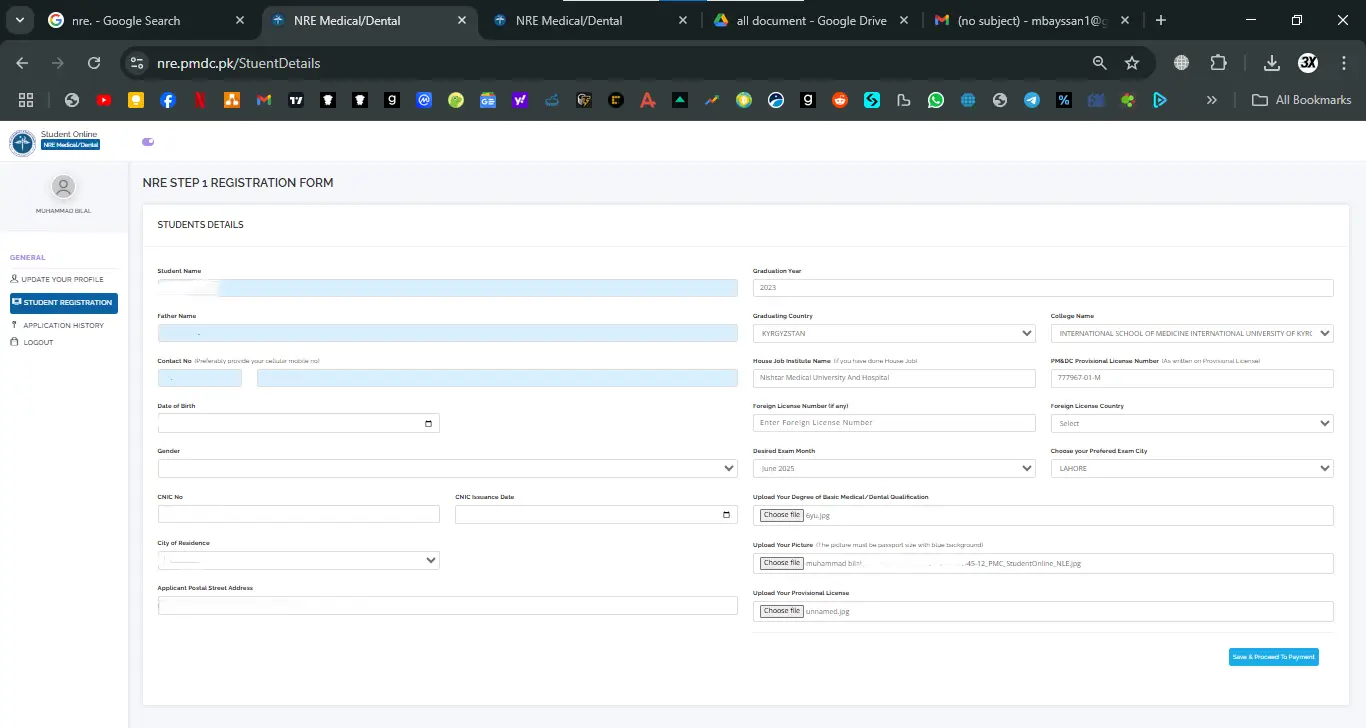
Step B: Login and Complete Your Profile
- Login again using CNIC/Passport and password.
- Fill personal details carefully (name spellings must match CNIC/passport).
- Add academic details (degree, institute, graduation year, etc.).
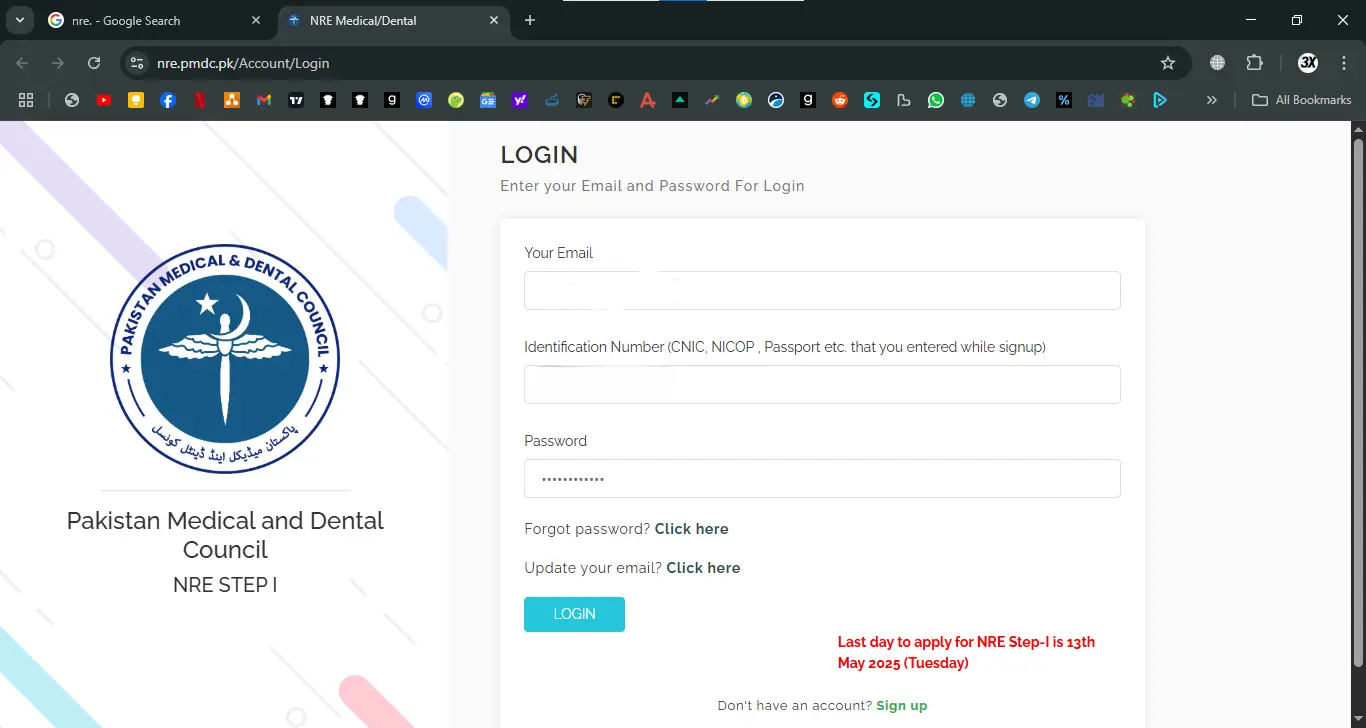
Step C: Open the NRE Section and Start NRE-1 (Step I)
- Inside the dashboard, locate NRE / NRE Step-I application area (availability depends on the cycle).
- Choose Medical (MBBS/MD) or Dental (BDS) where applicable.
- Select your test city/center (options vary by session; major-city sittings are commonly announced).
Step D: Upload Documents
Upload the required documents (CNIC/passport, photo, degree, and any required provisional/temporary license docs depending on your session).
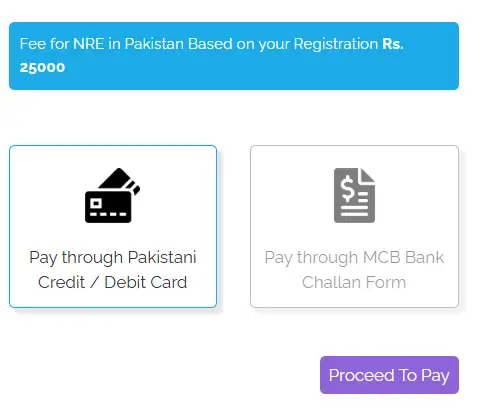
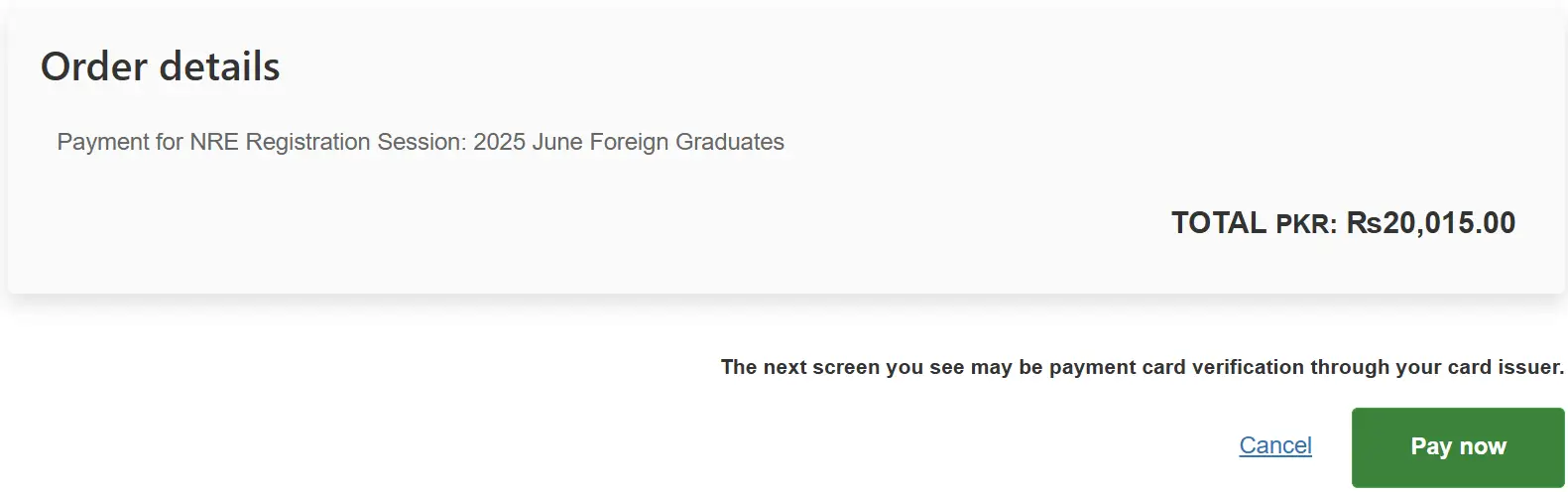
Step E: Pay the Fee (Challan/Card)
Payment methods depend on the session and portal configuration. Most candidates either:
- pay online (card/online banking), or
- generate a bank challan/voucher if offered in the portal.
Best practice: treat the portal as the final authority for the exact fee amount and payment route for your session.
Step F: Confirmation + Roll Number Slip / Admit Card
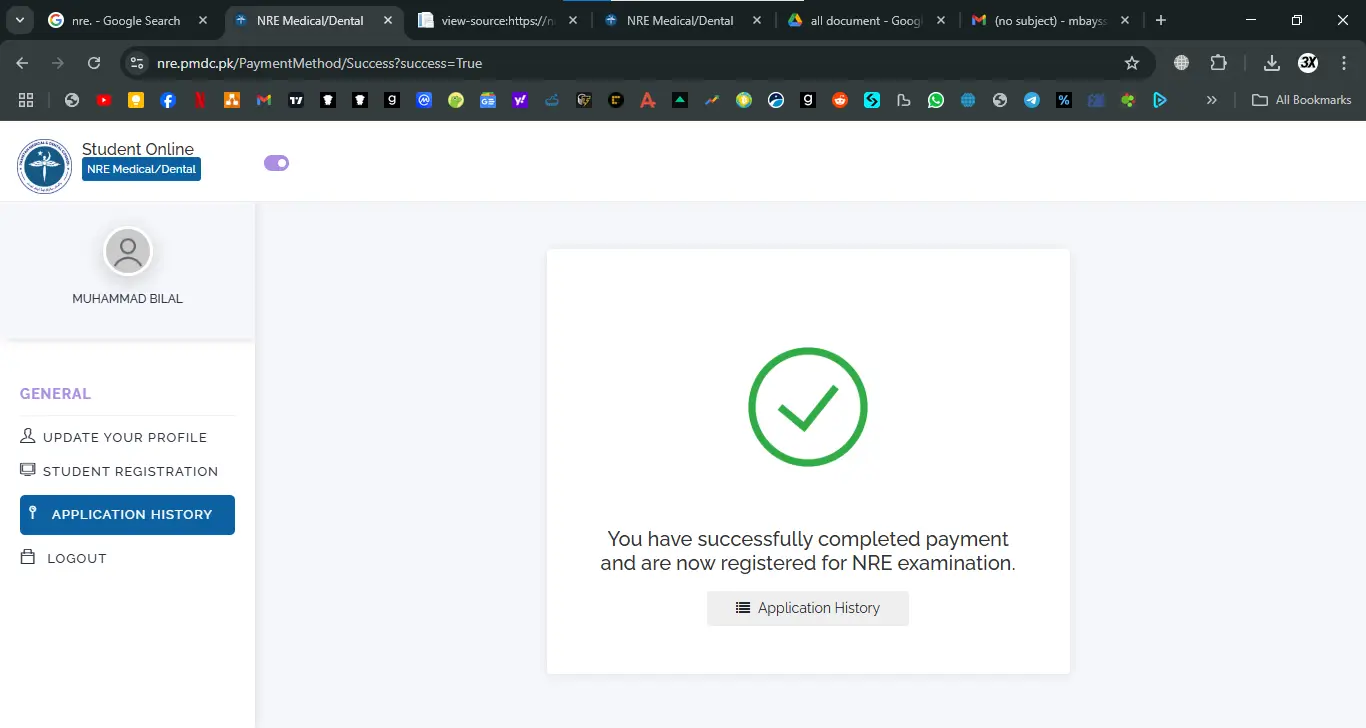
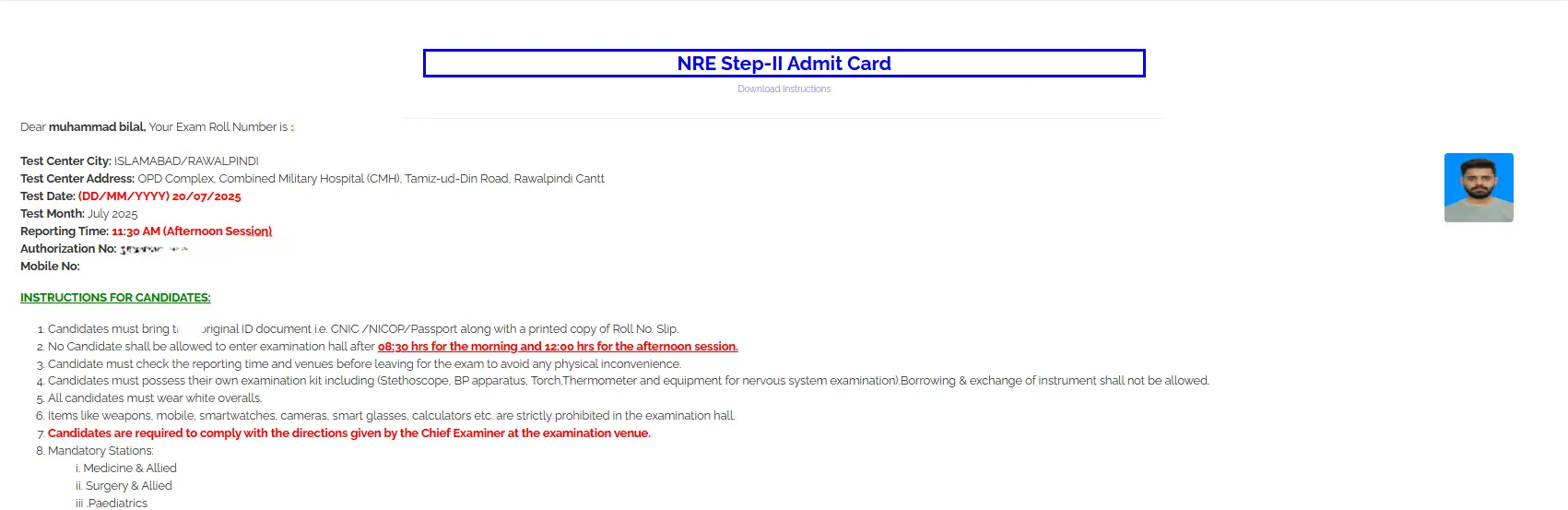
After successful submission and payment, the portal typically generates your application confirmation and then your roll number slip/admit card will be issued before 2 weeks of the exam. You should check your dashboard regularly.
NRE-1 Dates (How to Check the Correct Window)
PMDC schedules NRE sessions by cycle. For example, multiple Pakistan-based updates and notices reported:
- June 2026 session with a registration window in early May 2026 (reported by multiple outlets).
- PMDC also publishes schedules for later cycles (e.g., a 2025–26 cycle notice referencing December 14, 2025, for NRE-I).
Action: Always verify your current cycle’s dates from PMDC notices/portal, not old screenshots.
Step-by-Step: NRE-2 Application Submission
After passing National Licensing Examination Step 1, you now have to give step 2 exam.
STEP 1: Login to the PMDC NRE Portal
First, open the official PMDC NRE portal in your browser.
Enter your:
- Email address
- Identification Number (CNIC / NICOP / Passport)
- Password
Then click the Login button.
After successful login, you will be redirected to your student dashboard.
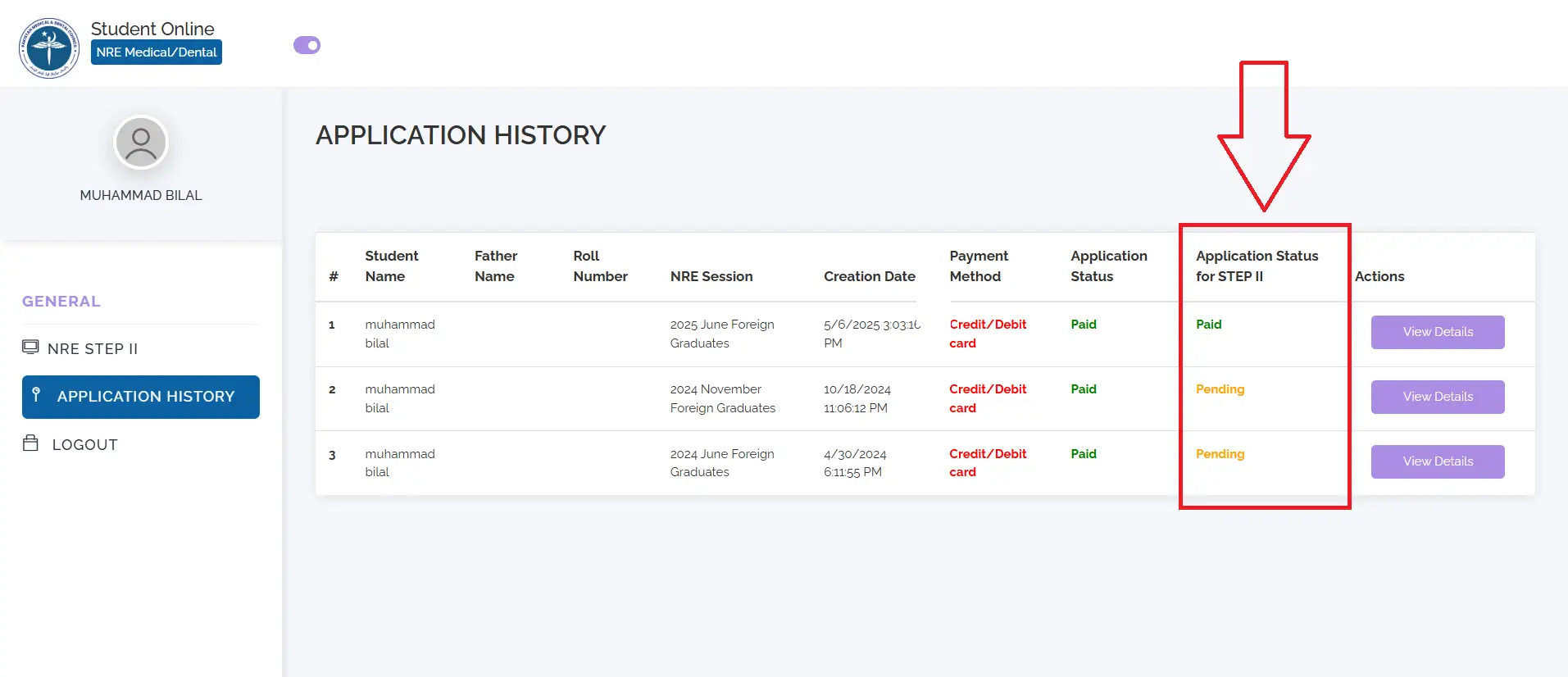
STEP 2: Open Application History Section
On the left-side dashboard menu, click on:
Application History
Here you will see your previously submitted applications, including your NRE-1 registration.
This section confirms your eligibility for NRE-2.
STEP 3: Confirm Your NRE-1 Result Status
Locate your NRE-1 application in the Application History section.
Make sure your result status shows:
Pass / Qualified / Completed
You may also download your NRE-1 result card if available.
Passing NRE-1 is mandatory before applying for NRE-2.
STEP 4: Click on “Apply for NRE-2” Registration
Once your NRE-1 status shows as passed, the portal will allow you to apply for NRE-2.
Click on the button that says:
- Apply for NRE-2
or - NRE Step-2 Registration
This will open the NRE-2 application form.
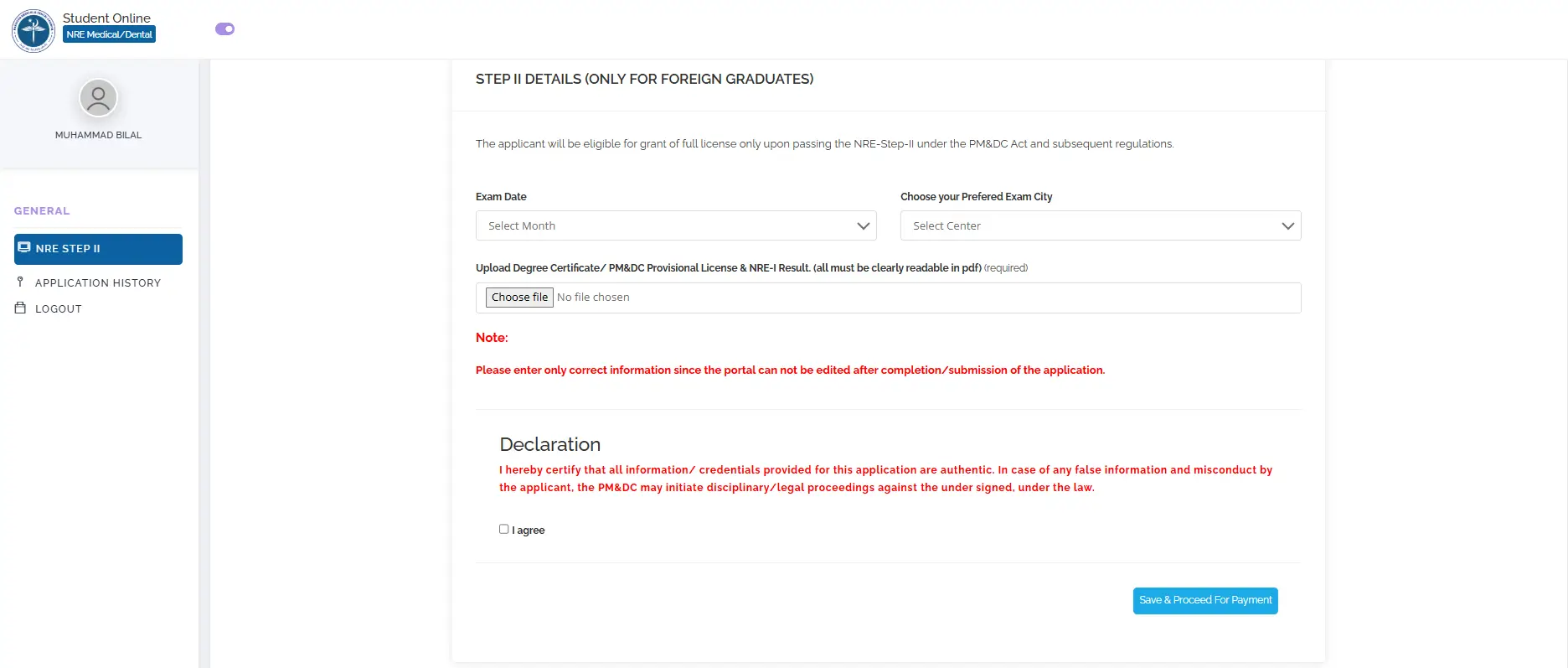
STEP 5: Fill Required NRE-2 Application Details
Complete the required information in the form, such as:
- Exam session or exam month
- Exam city (if option available)
- Any required document upload (such as NRE-1 result card in pdf form)
After filling the form, click:
Save and Proceed to Payment
STEP 6: Pay the NRE-2 Registration Fee
You will now be redirected to the payment page.
Make sure you have approximately:
PKR 20,000 to PKR 25,000 in your bank account.
Select your preferred payment method:
- Credit Card
- Bank payment (if available)
Click:
Proceed to Pay
Then complete the payment process.

STEP 7: Payment Successful Confirmation
After successful payment, the portal will show a confirmation message such as:
Payment successful
or
You are successfully registered for NRE-2 examination
Your NRE-2 application is now complete.
STEP 8: Verify Your NRE-2 Registration Status
Go back to:
Application History
You should now see your NRE-2 application status as:
- Registered
- Submitted
- Paid
This confirms your registration is complete. PMDC will give your admit card to your email address just 2 weeks before the exam date.
Common Problems
“Portal not loading / errors during upload”
- Use a laptop/desktop browser.
- Compress files and re-upload.
- Try off-peak hours.
- Try to register as early as possible as in last days. Many people go to a website that crashes the site, which can possibly leave you in trouble.
If Forgot password / locked your account
If you forgot your password just, simply click on forgot option and reset the password there.
Can’t find the NRE-1 application section
- NRE forms appear only when registration is live for your cycle. Also note PMDC has a separate NRE site used for some NRE functions, which are there too.